FLEXIPASS · Webkeys
One link.
Welcome in.
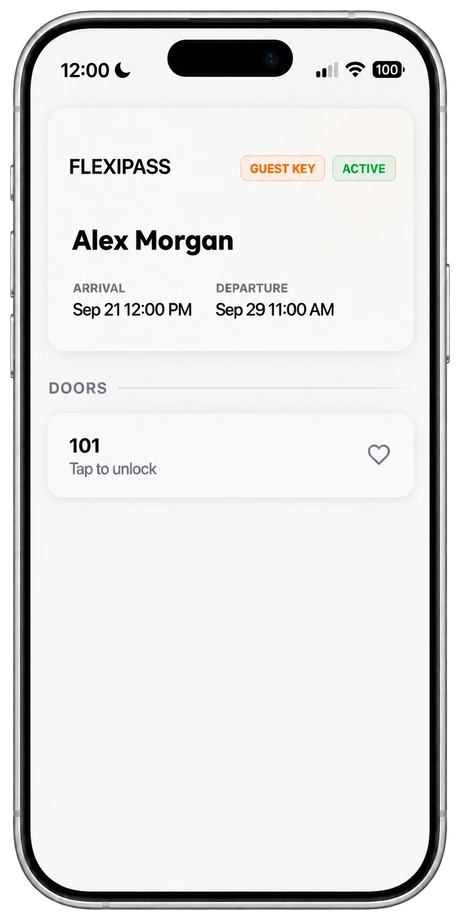
Webkeys are digital hotel room keys that open in a smartphone browser. Send a secure link through guest messaging; guests use it with a supported online lock, without downloading a separate key app.
Requires compatible online locks and connectivity.
Send the link
Deliver access through email, SMS, WhatsApp or your guest communication service.
Open the browser
Guests open their secure link without downloading a separate key app.
Unlock the door
Use the browser key with a supported connected lock.
DESIGNED FOR YOUR GUEST JOURNEY
Room access. In the conversation.
Deliver the room-access link through your configured email, SMS, WhatsApp or guest communication integration. The guest opens it in their browser and uses it at the supported door. Your PMS and lock setup determine the available workflow.
Explore guest communication integrationsBUILT AROUND YOUR PROPERTY
Check the connection.
Webkeys depend on supported online locks and connectivity. We’ll help you review your doors, delivery integration and fallback process.
Check compatibilityBEFORE YOU GET STARTED
Good questions. Clear answers.
What is a Webkey?
A Webkey is a digital hotel room key used in a smartphone browser. Guests receive a secure link and use it to access a supported online lock.
Do guests need to install an app?
No separate key app is required. Guests open the secure link in their smartphone browser.
Do Webkeys work offline?
Webkeys require a compatible connected lock system and connectivity. Review both door and guest connectivity and plan a fallback for outages.
How can we send the key?
Deliver the secure link through your configured email, SMS, WhatsApp or guest communication integration.
Which hotel locks support Webkeys?
Webkeys need a supported online lock configuration. The published FLEXIPASS list includes supported SALTO, TESA online, Omnitec, Messerschmitt, Vingcard Allure and dormakaba Exivo setups. Brand alone is not enough: check the software, connection and PMS combination.
What is the difference between Webkeys and Mobile Keys?
Webkeys open in a browser and require a supported online lock system. Mobile Keys are downloaded into a supported app and communicate with compatible locks over Bluetooth. A valid downloaded Mobile Key can work without a data connection in supported configurations.
Can we use Webkeys alongside physical keycards?
Keep the keycard process available through your door-lock software for guests who cannot use a smartphone and for your property’s fallback procedures. Confirm the available options with your lock provider.
YOUR NEXT WELCOME
A better arrival starts with a link.
See the guest experience. Find out what your property needs.
Book your demo